
Trawl 3.17: Share Data, Keep Control
Give a dashboard, a report or an AI assistant a key that reads your scrapers and their runs, and can never start one. Plus keys that follow each teammate, and a red day on the calendar when every run failed.


Trawl already lets you hand an API key to a script, a dashboard or an AI agent, and limit it to the scrapers it needs. With 3.17 you also choose what that key may do: read your data, or run and read everything. A key you give away can now be a key that only looks.
In short, this release brings:
- 🔑 Read-only keys: a dashboard, a report or an AI assistant reads your scrapers and their runs, and can never start one.
- 👥 Keys per teammate: each member manages the keys they made, owners and admins see the whole organization.
- 🟥 A red day on the calendar: when every run of a day failed, the Monitoring calendar shows it in solid red.
Live now on the web app and the API (v3.17.0). Nothing to turn on: the keys you already have keep the access they have today.
Give a key read access, and nothing more
When you create an API key in Trawl, you now pick its access: Read only or Full access. A read-only key lists your scrapers, reads their data and their run history, and stops there. It cannot start a run, so it never spends your compute.
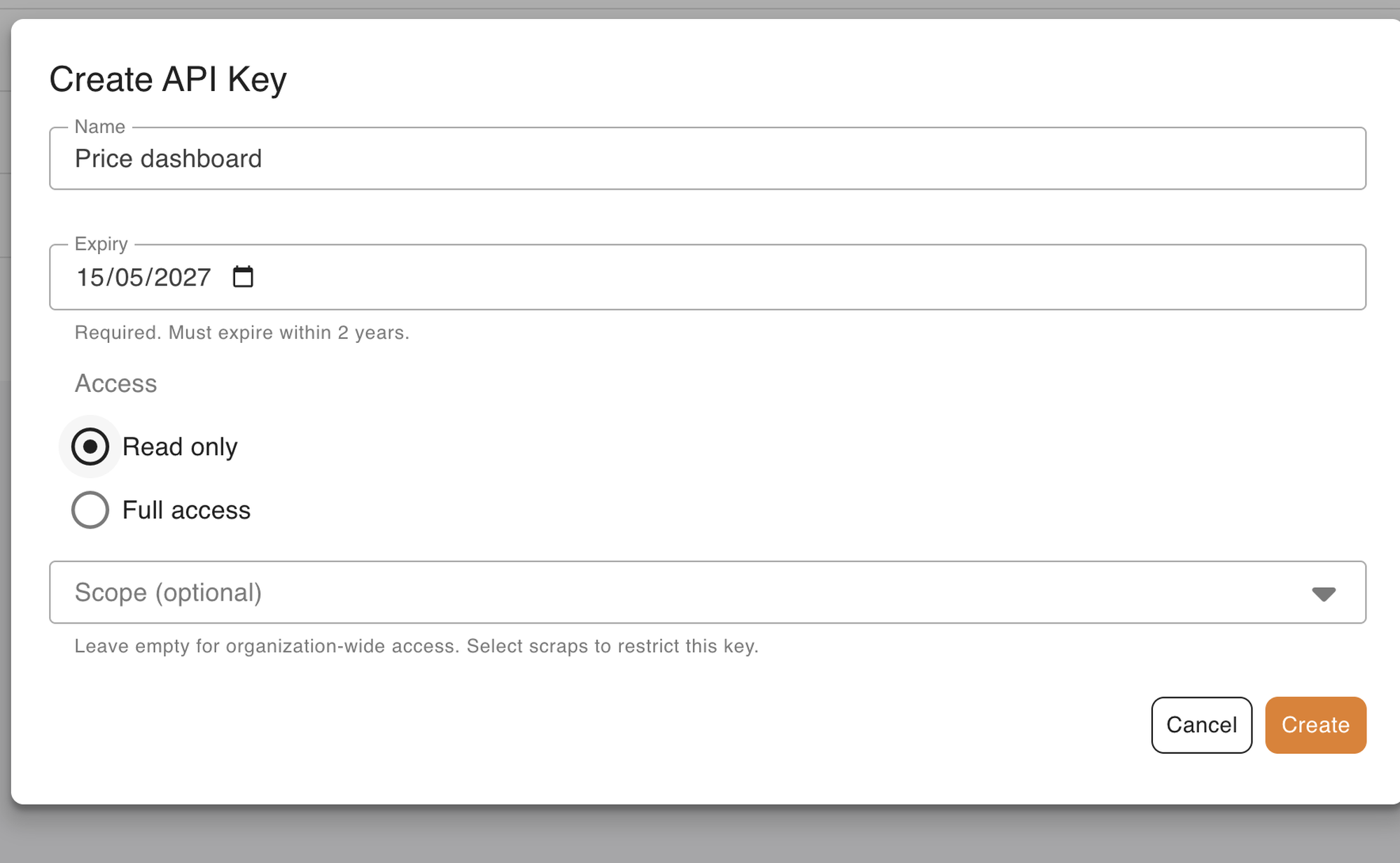
Think of the places a key ends up. A price dashboard a colleague built in a spreadsheet. A weekly report a script sends every Monday. An AI assistant you connected to your account so you can ask "which of my scrapers changed this week?". None of them needs to run anything: they read what your schedules already collected. Give them a read-only key, and the worst a leaked copy can do is read.
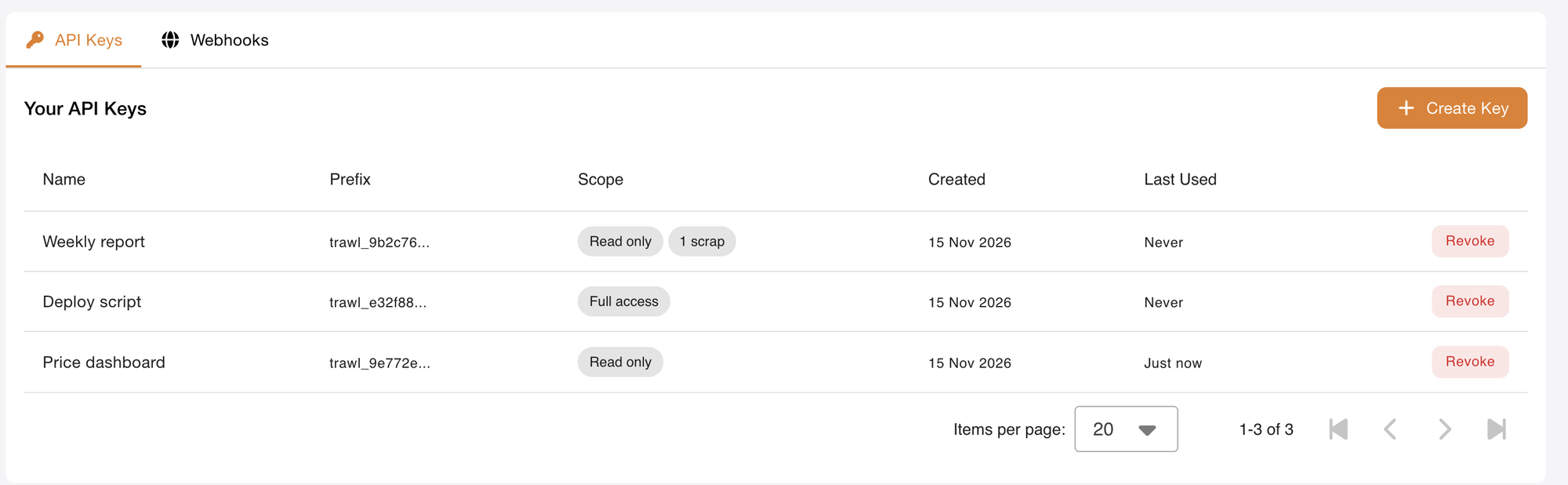
Both choices still work with the scraper list: a key can be read-only and limited to the two scrapers a client report needs. The keys list shows each key's access next to its name, so you see at a glance which ones can run.
For developers: what a read-only key can call, and what it gets back
- 🔗 API · Scopes: Read only is the pair
trawl:scraps:read+trawl:history:read. It reachesGET /api/scraps,GET /api/scraps/:id,GET /api/runs,GET /api/runs/:idand a scraper's activity log. Full access is an emptyscopeslist, which is also what every key made in the web app before this release carries. - 🔌 MCP: with a read-only key, your assistant can list scrapers and read runs;
trawl_trigger_scrap_runandtrawl_create_scrapare refused. - ⌨️ CLI: set
TRAWL_API_KEYto the read-only key and every read command works as before;trawl triggeris refused with the 403 below. - Any other set: create the key over the API with an explicit
scopesarray. The full table lives in the API keys guide.
Here is a read-only key on a scraper, read first, then asked to run it:
SCRAP=6afa23f01f46fd56c2d1df8b
curl "https://api.trawl.me/api/runs?scrap=$SCRAP" \
  -H "Authorization: Bearer trawl_xxx"
# 200 OK

curl -X POST "https://api.trawl.me/api/scraps/worker/$SCRAP" \
  -H "Authorization: Bearer trawl_xxx"
# 403 Forbidden
# WWW-Authenticate: Bearer error="insufficient_scope",
#   scope="trawl:scraps:run"
{
"type": "error",
"message": "Forbidden",
"code": 403,
"description": "API key missing required scope(s): trawl:scraps:run"
}The WWW-Authenticate header follows RFC 6750, so a client can read the missing scope without parsing the message.
Each teammate manages their own keys
In an organization with several people, a member sees and revokes the API keys they created. Owners and admins see every key of the organization, so when a project ends or someone leaves, one person can review the list and revoke what is no longer needed.
So the Developers page fits the person who opens it: a member finds the keys they work with, an admin finds all of them. The docs snippet that fills in a key for you follows the same rule, so a member always sees one of their own.
For developers: who sees which key
- 🔒 Security · List:
GET /api/developers/keysreturns every key of the organization to an owner or an admin, and the caller's own keys to a member. - 🔒 Security · Revoke:
DELETE /api/developers/keys/:idon a key a member did not create returns403; owners and admins can revoke any key of the organization. - Owner: the API names each key's owner by first and last name, in its
userfield. - Existing keys: nothing to migrate. A key keeps its access and its scrapers; only who can see it in the list follows the role.
A day where every run failed shows in red
On the Monitoring calendar, a day where every run of a scraper failed or came back empty now shows solid red. A day with a few failures keeps the green and orange bar from 3.16, so the red squares are the days to open first.
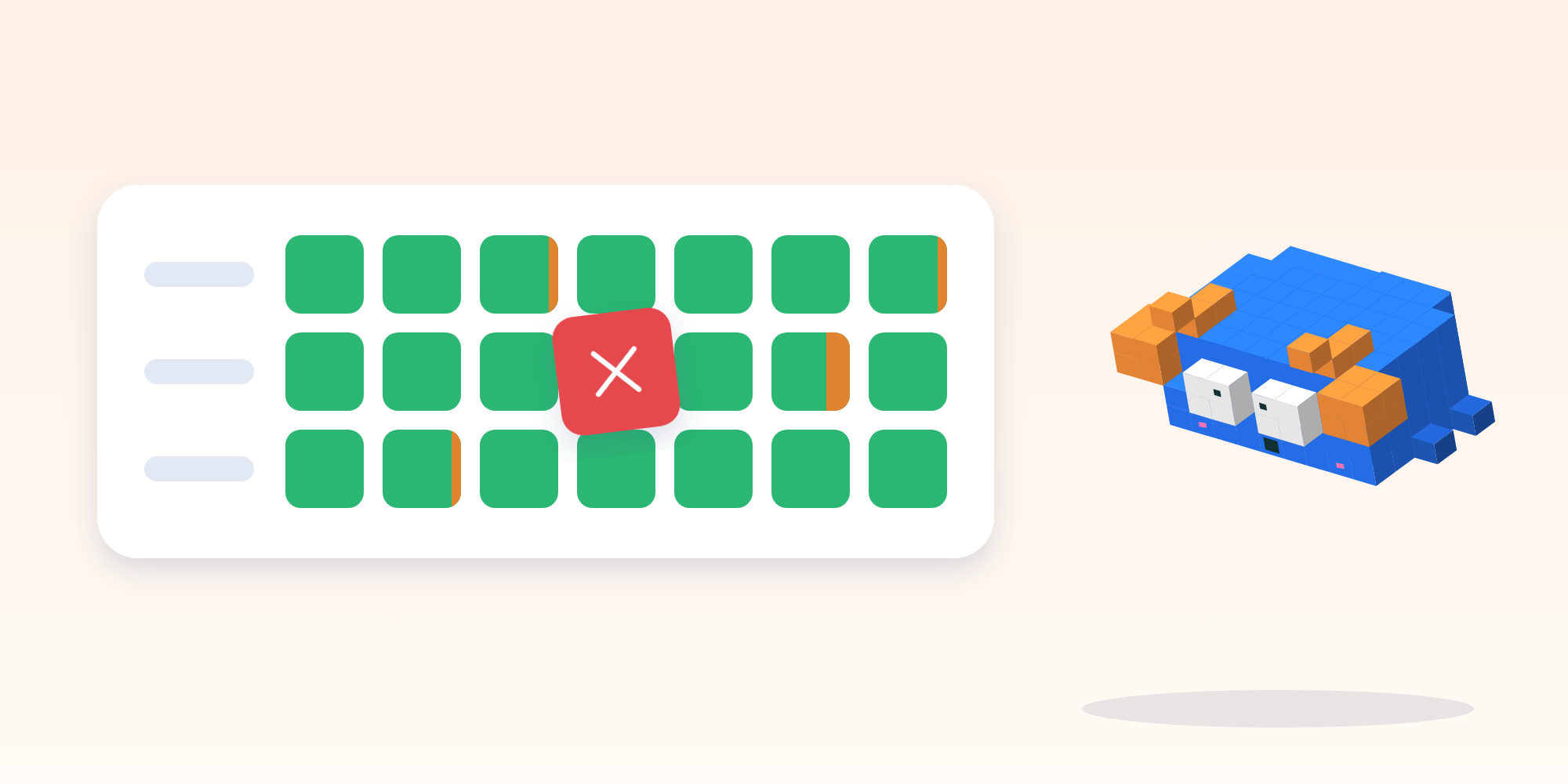
Three colours, three meanings. Green: the runs brought data. Green with an orange share: some runs failed, the rest worked, often a slow site on a retry. Red: nothing came back that day. A scraper that runs twenty times a day can have a thin orange line every week and be fine; a red square means the page changed or blocked it, and a click on it opens the worst run of the day with its reason.
For developers: how a day picks its colour
- 🌐 Web app · Day cell: red when the failed or empty share is 100% of the day's runs; otherwise the ratio bar, green for runs with data, orange for errors and empty runs, each at its true share.
- Legend: four entries now, Succeeded, Some failed or empty, All failed or empty, No runs.
- Source: the same run history the runs list and
GET /api/runsreturn, counted live.
Also new
- 🌐 Web app · First scraper: before your first scraper, the Monitoring page takes you straight to the wizard, where you describe the page you want to watch in one sentence.
- 🔗 API · Docs: the API keys guide lists what each access in the web app can reach, route by route.
A scraper is only as useful as the places its data reaches. With read-only keys, you can send that data to a dashboard, a teammate or an assistant without handing over the controls, and the calendar tells you on which day to look. Try Trawl free and create your first key from the Developers page.
Previous release: Trawl 3.16: What 15 Days at Full Load Taught Us.
Written by Pierre | November 2026